Voxelab Proxima: The £40 Resin Experiment
Pros
- + Extremely low entry cost
- + Standard VAT size for its class
- + High success rate once dialed in
Cons
- − Fiddly bed leveling
- − Noisy stepper motors
- − Lacks modern quality-of-life features
Testing the Waters: The Absolute Budget Entry
Resin printing has always felt like the “final boss” of hobbyist 3D printing—messy, toxic, and expensive. I wanted to see if I could bypass the high buy-in cost by picking up a second-hand Voxelab Proxima and skipping the fancy wash-and-cure stations.
The goal? See if I actually liked resin printing before committing hundreds of pounds to a modern Elegoo or Anycubic ecosystem.
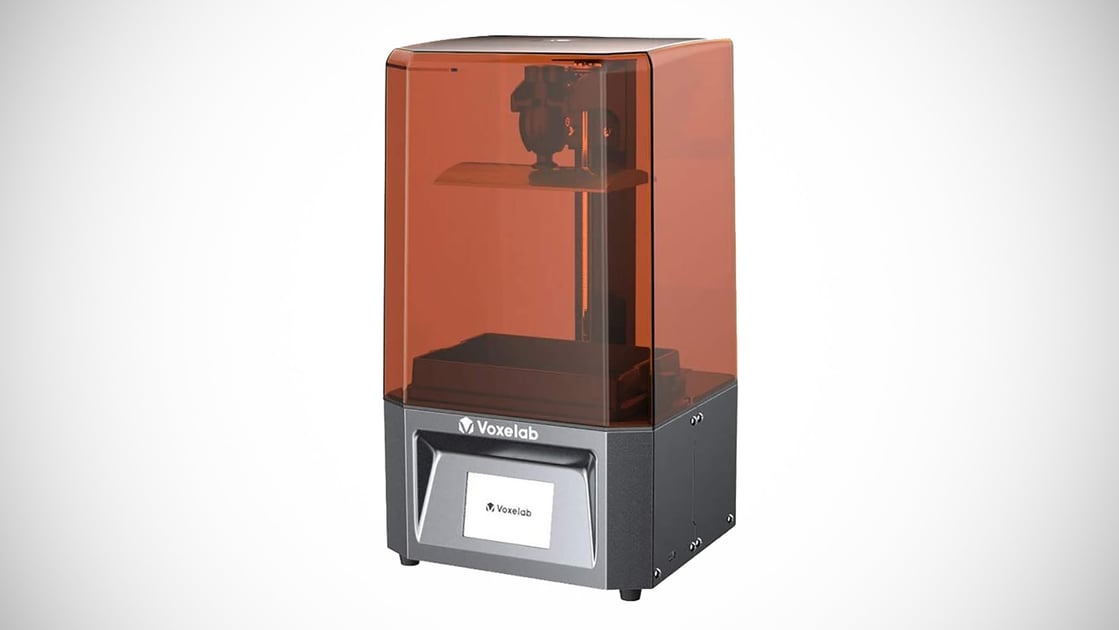
The “Bare Minimum” Workflow
To keep this truly budget-friendly, I ditched the automated cleaning stations. My “Lab Setup” for this test was primitive but effective:
- A 5L plastic tub.
- A warm water rinse via a shower head.
- A toothbrush for fine details.
- A final dunk in 99% IPA.
Surprisingly, this manual approach works remarkably well. As long as you are diligent with the toothbrush, the details pop just as well as they would in a dedicated machine.
Performance & Experience
Once the build plate is level—which, admittedly, is a bit fiddly and requires some patience—the Proxima is a workhorse. Using Lychee Pro for slicing, my success rate has been impressively high.
The secret sauce isn’t the hardware; it’s the environment. As long as your room and resin temperatures are within recommended limits, it’s a “set it and forget it” machine.
The Noise Factor
The first thing you’ll notice is the sound. Unlike modern silent stepper drivers, the Proxima “sings” (or whines) throughout the entire print. It’s a machine meant for a garage or a well-ventilated workshop, not a quiet office.
“One ‘pro move’ for Proxima owners: Make sure to power down the machine manually as soon as the print finishes. The fans and idle noise are persistent.”

Safety First (Always)
Before you go hunting on Facebook Marketplace, a mandatory reminder:
- Ventilation: Never print in a living space.
- Protection: Always wear gloves. No exceptions.
- FEP Care: Keep your hands off the FEP film and keep the screen pristine. A single spill here can end the machine.
The Verdict: Buy or Pass?
Should the Voxelab Proxima be your first resin printer in 2026?
- Buy it if: You can find one in good used condition for £30–£40. At that price, even with an extra £30 spent on resin, FEP sheets, and gloves, you have a functional lab for under £100.
- Pass if: You find an Elegoo Mars or Saturn bundle (with accessories and spares) for around £80–£100. The quality-of-life improvements and quieter operation of the Elegoo ecosystem often justify the extra spend.

Technical Specs Observed:
- Screen: 2K Mono Chrome (Fast cure times)
- Build Volume: 130 x 82 x 155mm
- Connectivity: USB Stick
- Noise Level: High (Audible motor whine)
⚠️ A Critical Lesson from the Lab (Update)
Since writing this review, the lab’s Proxima has officially been decommissioned due to a catastrophic FEP breach. While this machine is a budget powerhouse, it lacks the protective gaskets found on newer models.
Pro-Tip: Save Your Screen
Do not skip this: Save yourself the heartbreak I went through. Tape a dedicated screen protector (or even a spare sheet of high-quality FEP) over your LCD, ensuring it overlaps the edges. Use Kapton tape to seal the perimeter.
If your VAT is pierced by a failed print, the resin will hit the protector instead of curing directly onto your expensive LCD and leaking into the internal optics.
You can read the full “Autopsy” and see how I salvaged the parts for future projects here: Project Salvage: The Voxelab Proxima Post-Mortem