Anycubic Kobra S1 Combo: 500 Hours Later
Pros
- + Ready to print with very little setup
- + Reliable first layers after basic plate cleaning
- + Almost no maintenance across 500 print hours
- + Normal print speeds are still fast
- + ACE Pro works well with several PLA and PETG brands
- + Great for repeat jobs and everyday family/workshop prints
Cons
- − Fastest speed modes can be less consistent
- − Y-axis belt/pulley needed one adjustment
- − Build plate still needs occasional soapy-water cleaning
- − Timelapse camera is better for monitoring than social-ready footage
- − Not silent during faster prints
Anycubic Kobra S1 Combo Review: Should You Buy It?
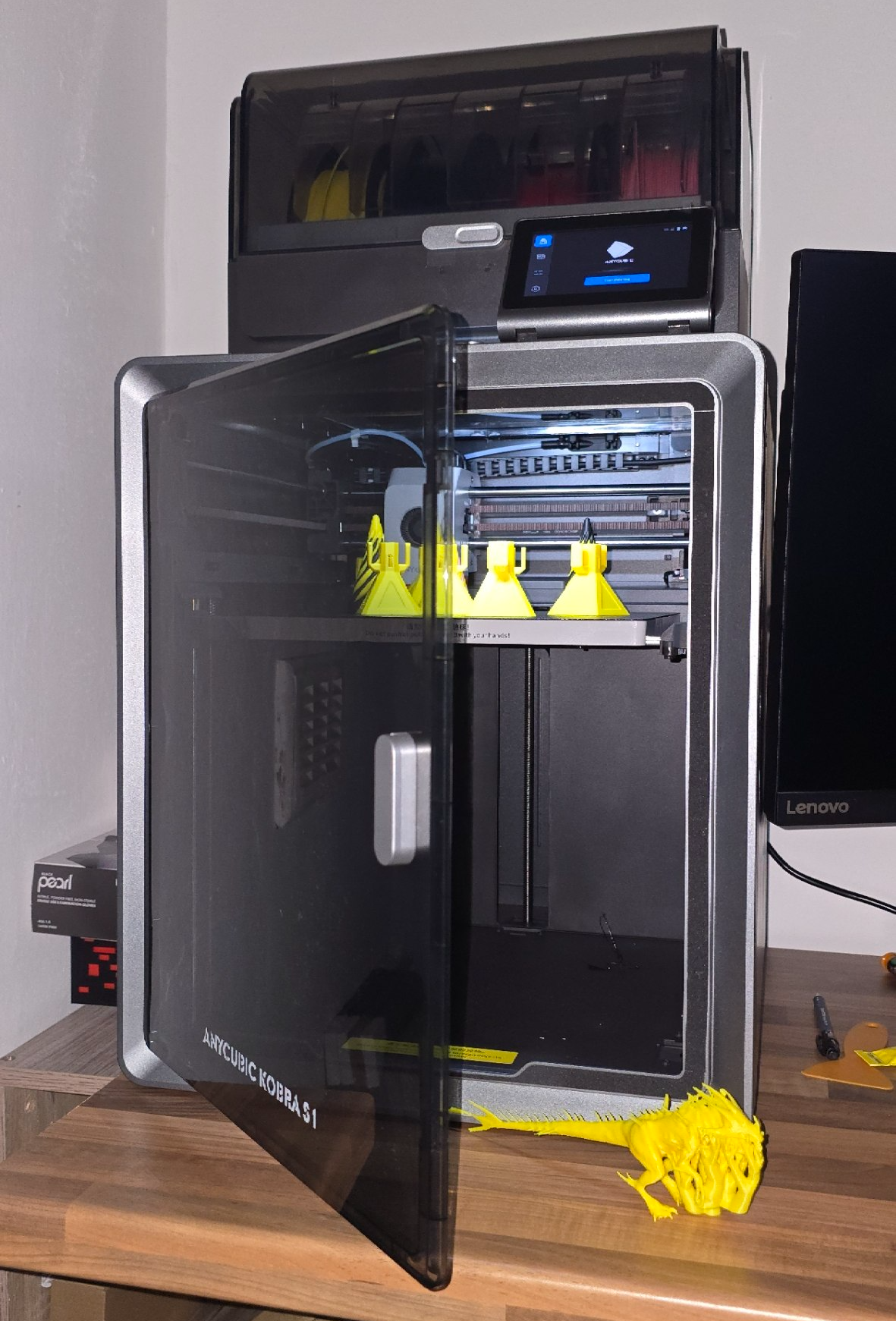
After roughly 500 print hours, the Anycubic Kobra S1 Combo has become one of the few 3D printers I can start without wondering what is going to fail next.
That alone says a lot.
My experience with the Anycubic Kobra S1 and ACE Pro has been overwhelmingly positive. It has been reliable, fast, low-maintenance, and refreshingly easy to live with compared to many hobbyist 3D printers I have owned over the years.
I would rate it 8.5/10.
It is not perfect, and I do not think it is the absolute best printer in every category, but it has quietly become one of the most dependable everyday machines in my workshop. For practical prints, repeat jobs, toys, organisers, and general household parts, it has simply worked.
And honestly, that matters more than headline speed numbers or marketing claims.
Quick Verdict
The Anycubic Kobra S1 Combo is a strong choice if you want a fast enclosed CoreXY 3D printer that does not feel like a constant project. It is especially appealing if you want multi-colour or multi-filament printing through the ACE Pro without spending every session tuning the printer.
I would recommend it to someone who wants:
- A reliable enclosed FDM 3D printer
- Fast printing without needing extreme speed modes
- Easy PLA and PETG printing
- A good AMS-style filament system
- A printer for repeat parts, Gridfinity bins, toys, and everyday workshop use
I would be more cautious if you need a silent printer, already own a premium enclosed CoreXY machine, or expect zero cleaning and zero mechanical checks forever.
Setup And First Impressions
The Kobra S1 Combo made a strong first impression because it asked very little from me. Setup was straightforward, calibration was mostly automatic, and the printer felt close to ready straight out of the box.
That matters whether you are new to 3D printing or simply tired of machines that need endless tweaking before they become useful.
First-layer performance has also been better than I expected. The only real adhesion problems I have had were solved by washing the PEI build plate with warm soapy water. Once the plate was properly cleaned, adhesion returned to normal immediately.
I can live with maintenance problems when they are obvious and easy to fix, and thankfully that has been the experience here.
Print Quality And Speed
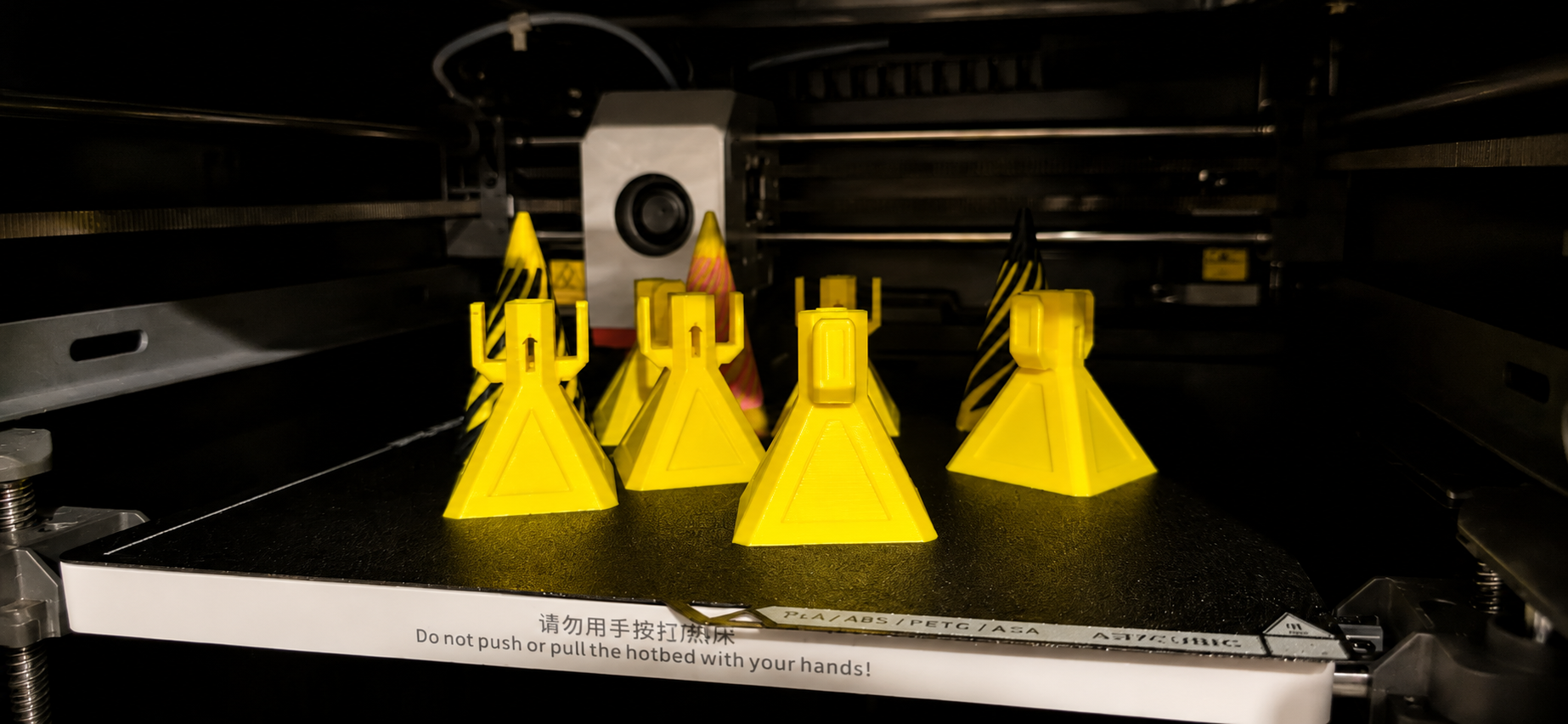
Print quality from the Anycubic Kobra S1 has been consistently good across everyday use. I have printed functional parts, Gridfinity bins, small fidget toys, helicopter pull toys, and general workshop or household items without constantly needing to retune profiles or fight failed prints.
The printer can move extremely fast, but I honestly think the normal-speed profiles are where it performs best. Pushing the fastest speed modes can introduce quirks depending on the filament and model geometry, while standard profiles already feel impressively quick in real-world use.
That balance is what makes the Kobra S1 enjoyable to use day-to-day. It feels more like a dependable tool than a printer designed purely to win spec-sheet arguments.
Reliability After 500 Print Hours
At around 500 print hours, reliability is the main reason I rate this machine so highly. It has not turned into a printer that constantly needs attention, and it has avoided the cycle of random failures and mystery problems that some fast printers eventually develop.
Maintenance has been surprisingly minimal so far.
The only real mechanical issue I encountered was a clicking and grinding sound from the Y-axis belt and pulley area. After a quick adjustment and tightening, the noise disappeared and has not returned since.
Aside from occasional build plate cleaning, that has realistically been the extent of my maintenance routine.
For a fast enclosed CoreXY printer with this amount of use, I think that is a genuinely impressive result.
ACE Pro Review
The ACE Pro is a major reason I would consider the Combo version over the standalone Kobra S1. It has been easy to use and has worked well with a variety of filament brands.
So far I have mainly used SUNLU, Creality, Elegoo, and Anycubic PLA and PETG. The ACE Pro has handled those materials well, which makes it feel like a practical multi-filament system rather than a feature I only use for demonstrations.
For repeat prints, the workflow has been excellent. I can finish a job, swap the build plate, restart the print, and keep moving. That has been particularly useful for batches of Gridfinity bins and small toys, where the printer may run the same part several times in a row.
How Does The Anycubic Kobra S1 Compare To Other CoreXY Printers?
Naturally, the Anycubic Kobra S1 Combo gets compared to printers like the Bambu Lab P1S, Creality K2, QIDI Q1 Pro, and even the Kobra 3 Combo.
Comparison is the thief of joy though. If you already own a printer you enjoy using, keep printing and enjoy it.
I have not personally tested those other machines yet, so I cannot honestly tell you the Kobra S1 is definitively better than any of them. What I can say is that after around 500 print hours, the Kobra S1 absolutely feels like a real contender in this category.
From watching long-term reviews, community feedback, and other owners’ experiences, it feels like Anycubic has finally produced a machine that genuinely belongs in conversations alongside those more established enclosed CoreXY printers.
What I Would Improve
There are still a few things worth knowing before buying.
First, the fastest print modes are not always the best option. They can work well, but the normal-speed profiles are where the printer feels most dependable.
Second, it is not silent. The enclosure helps contain the machine, but fast CoreXY movement, cooling fans, and vibration are still very noticeable during longer prints.
Third, the internal chamber camera is not great quality. It is useful for checking whether a print is still running properly, and it is good enough for basic remote monitoring, but I would not buy the Kobra S1 expecting polished timelapses for Instagram, TikTok, YouTube Shorts, or other social posts. The resolution and image quality are functional rather than impressive.
Fourth, it is still a 3D printer. My experience has been refreshingly low-maintenance, but you should still expect to clean the bed, store filament properly, and occasionally check belts and mechanical parts.
None of those issues would stop me buying it again.
Anycubic Kobra S1 Specs
- Printer type: Enclosed CoreXY FDM 3D printer
- Build volume: 250 x 250 x 250 mm
- Build plate: PEI spring steel
- Camera: Internal chamber camera for monitoring and timelapse capture
- Multi-filament unit tested: ACE Pro
- Materials tested: PLA and PETG from SUNLU, Creality, Elegoo, and Anycubic
- Tested usage: Around 500 print hours
- Tiny Epoch score: 8.5/10
Final Verdict
After around 500 print hours, the Anycubic Kobra S1 Combo has proven itself to be reliable, fast, easy to use, and refreshingly low-maintenance.
The ACE Pro also ended up being far more useful than I originally expected. Multi-filament printing feels practical rather than gimmicky, especially for repeat jobs and everyday workshop printing.
No, it is not perfect. The fastest speed modes are not always the best option, the built-in timelapse camera is only average, and it is definitely not a silent printer.
But the important thing is this: it consistently lets me spend more time printing and less time troubleshooting.
That is exactly what I want from a modern 3D printer, and it is why I would comfortably recommend the Kobra S1 Combo to most people looking for an enclosed CoreXY machine.
It earns an 8.5/10 from me.
Anycubic Kobra S1 FAQ
Is the Anycubic Kobra S1 Combo worth buying?
Yes. After around 500 print hours, my Anycubic Kobra S1 Combo has been reliable, fast, easy to use, and surprisingly low-maintenance. I would rate it 8.5/10 overall.
Is the Anycubic Kobra S1 good for beginners?
Yes. The setup process was straightforward, the printer felt close to ready out of the box, and the only first-layer issues I encountered were solved by cleaning the PEI build plate with warm soapy water.
Does the Anycubic ACE Pro work with third-party filament?
In my testing, the ACE Pro has worked well with PLA and PETG from SUNLU, Creality, Elegoo, and Anycubic. It has been reliable for everyday multi-filament printing.
How much maintenance does the Anycubic Kobra S1 need?
Across roughly 500 print hours, maintenance has been minimal. The only real mechanical adjustment I needed was tightening the Y-axis belt and pulley after some clicking and grinding noises.
Should I use the fastest print speeds on the Kobra S1?
The fastest modes can work well, but the normal-speed profiles have been the better everyday option in my experience. They are still very fast while offering a better balance of print quality, reliability, and noise.
Is the Anycubic Kobra S1 timelapse camera good?
The internal chamber camera is good enough for monitoring prints and checking progress, but the image quality is not ideal if you want high-quality timelapse videos for social media.